
Your Mac's logo,
your way.
A free macOS menu bar app for turning off, dimming, or automating the glowing logo on the back of your Mac's display.
Version 1.4 · 3 MB · Free · macOS 27.2 or later, on Macs with an illuminated logo
Try it
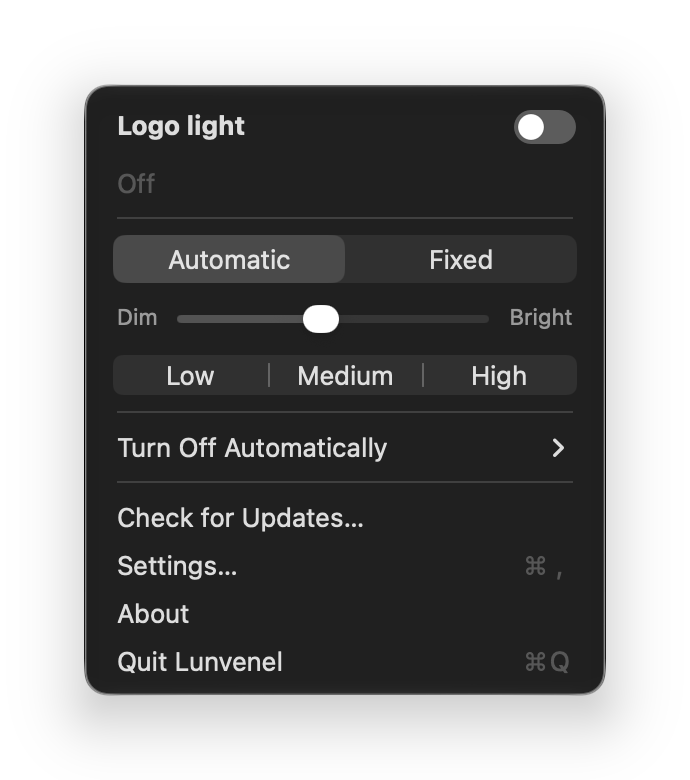
This is Lunvenel's real menu. Flip the switch, pick a preset, or drag the slider.
Automatic: the logo follows your display, like macOS does.
On your Mac
What it does
One-click on and off
Switch the logo off from the menu bar, Option-click the icon, or press ⌃⌥⌘L from anywhere.
Fixed brightness & presets
Pin the glow with the slider or jump straight to Low, Medium, or High instead of following the display.
Smart automation
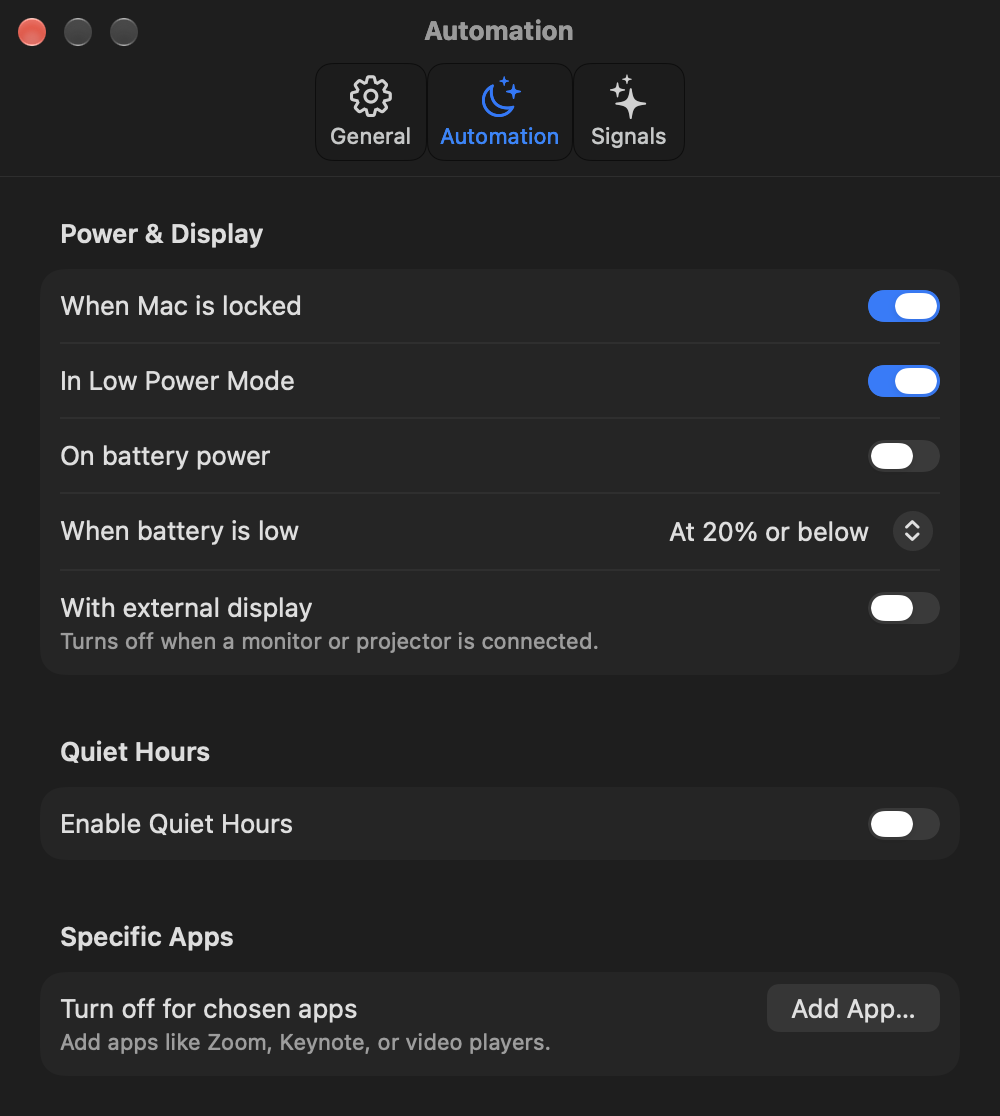
Go dark when locked, on low battery, in Low Power Mode, with an external display, during Quiet Hours (off or dimmed), or for chosen apps like Zoom and Keynote.
Attention signal
Choose Breathing, Double-pulse, or Steady glow when Claude Code needs you, or wrap any build or script with lunvenel run -- <cmd>.
Shortcuts, Siri, and Terminal
Control the logo from Shortcuts and Siri, or with the lunvenel command.
Free, private, and easy to undo
No account, no tracking, and automatic updates you can turn off anytime. One click resets to Apple defaults or uninstalls completely.
FAQ
Will it work on my Mac?
Lunvenel needs a Mac with an illuminated logo on the back of the display, running macOS 27.2 or later. When you first open it, Lunvenel checks your Mac and tells you if it isn't supported.
Is Lunvenel really free?
Yes. Every feature—fixed brightness, automation rules, Quiet Hours, per-app triggers, Claude Code signals, Shortcuts, and the lunvenel CLI—is free.
Does Lunvenel need the internet?
No. Everything runs locally on your Mac. The only network request is an optional daily check for app updates, which you can turn off in Settings.
Could a macOS update break Lunvenel?
Lunvenel uses parts of macOS that Apple doesn't officially document, so a future update could change how the logo is controlled. If that happens we'll work on an update.
How do I get the normal behavior back?
Choose Reset in Lunvenel's Settings, or uninstall from Settings. Either one gives the logo back to macOS.
From Snowlight Labs
Lunvenel is made by Snowlight Labs, which also builds Arkenal. Questions or bug reports? Email support@lunvenel.xyz.